
Typography is not just the design of a text. It’s a system. It’s a tool. This is a way to manage the user’s attention and information structure.
Every letter, every spacing, and every font weight affects visual communication. When a designer works with text, he is actually building an architecture of perception. The user does not read the interface linearly. It scans. It stops. Compares it. And typography guides this process.
Visual design also often combines text with images, clipart, and vector graphics, but text remains the backbone that organises everything. Without a strong typographic structure, even the most polished illustrations or decorative elements quickly lose clarity.
Humanity has been working with writing for thousands of years. Archaeologists have documented early writing systems from around 3400 BC in Mesopotamia, 3200 BC in Egypt, 1300 BC in China, and around 600 BC in Mesoamerica. These systems gradually evolved into complex structures of signs, alphabets, and symbols.
Today, the text has not disappeared anywhere. In front of.
Research shows that more than 90% of information on the Internet is represented by text. This means a simple thing: any interface is primarily a text environment. And it is the typography that shapes its readability, accessibility, and structure.
Typography as The Basis of Visual Communication
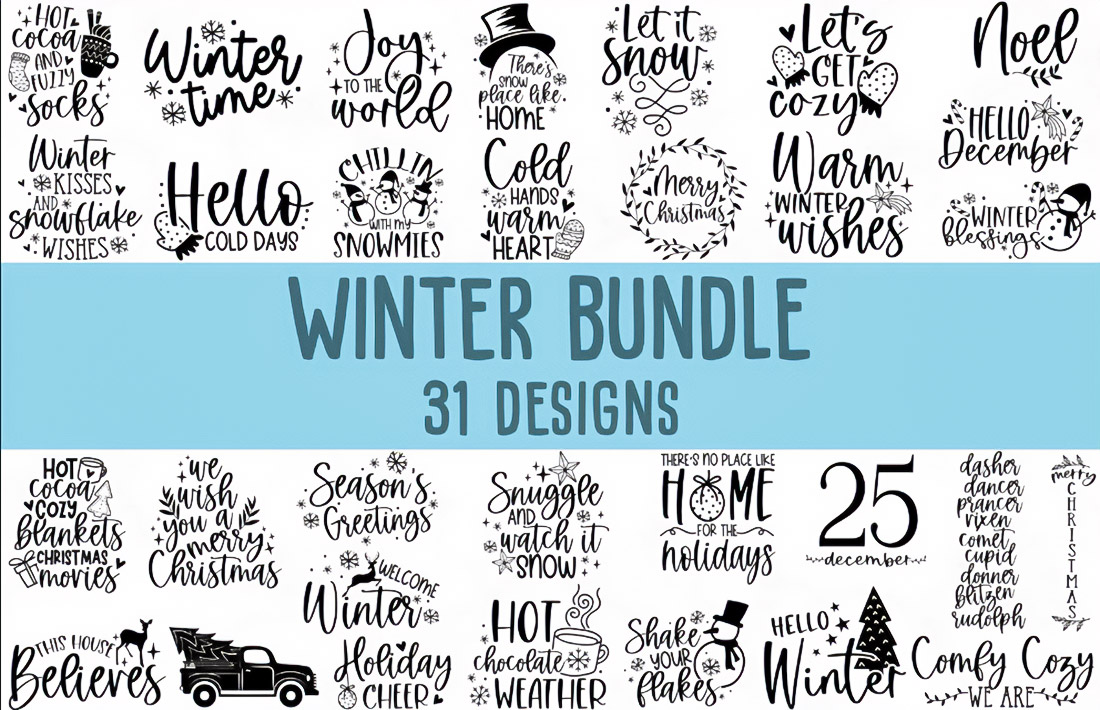
Typography is the art of organising text. But in practice, it is much more.
It defines:
- Text readability
- Interface accessibility
- The visual hierarchy
- The structure of the content
- Visual balance of the page
If you remove the graphics and leave only the text, the interface can still work. But if the text is poorly organised, the design falls apart.
Typography controls the perception of information. Sometimes unnoticed. Sometimes it’s very obvious.
Font and Typeface
The first thing a designer works with is a headset.
A typeface is a system of symbols with a single style. Various fonts inside it differ in text size, font style, width, and weight.
There are several basic categories of headsets:
- Serif
- Sans-serif
- Decorative fonts
Each category creates its own text character.
Serif fonts are often associated with tradition and formality. Sans-serif looks simpler and cleaner. Decorative headsets are used carefully, usually for headlines or accents.
Interfaces rarely use a large number of fonts. Most often, 2-3 headsets are used, sometimes even one. This allows you to maintain a visual balance and a clear structure.
Font Weight, Style, and Width
Font weight is one of the most powerful tools of typography. The light outline looks delicate. The average is neutral. Bold aggression attracts attention.
The most common options are:
- Light
- Regular
- Medium
- Bold
Headlines almost always use a higher font weight. This enhances the visual hierarchy and helps the user to quickly find the key elements of the page.
Font width also influences layout. Narrow fonts conserve space. Wider fonts create visual stability and presence, especially when paired with strong imagery or bold vector graphics.
Spacing and Kerning
The readability of the text rarely depends only on the font. It is much more often determined by intervals.
Basic parameters:
- Letter spacing
- Line spacing
- Kerning
The letter spacing regulates the density of the text. The line spacing determines the rhythm of reading.
Kerning is the precise adjustment of the distance between specific letters. Sometimes, a difference of just a few pixels can change the readability of a word.
Incorrect kerning makes the text look strange. The user may not even understand why it is inconvenient to read. But the feeling of discomfort appears instantly.
Text Alignment and Page Composition
Text alignment affects the interface structure more than it seems. There are four main options:
- The left one
- The right one
- Centered
- By width
For long texts, the left alignment is almost always chosen. It creates a stable starting line and makes it easier to read. Centring is used for short blocks. Headlines. Quotes. Sometimes there are interface cards.
Right alignment is less common. It is usually related to the peculiarities of the language or composition.
Visual Hierarchy of The Text
An interface without hierarchy turns into chaos.
Typography creates structure. It determines the reading order.
A three-tier system is most often used:
- Heading
- The subtitle
- Main text
The differences between the levels are formed through:
- Text size
- Font weight
- Text color
- Intervals
- Contrast
When this system works correctly, the user understands the structure of the page almost instantly.
Text Contrast
Contrast is another key factor in the readability of the interface. If the text is too similar to the background, the eyes get tired quickly. If the contrast is too strong, visual tension occurs. The recommended contrast ratio of text and background is 4.5:1.
This value ensures sufficient legibility of the text for most users, including people with visual impairments.
Contrast is created in different ways:
- Text color
- Size
- Font weight
- Combination of headsets
A combination of several methods is often used simultaneously.
White Space
White space is often underestimated. But it forms the breadth of the interface.
- Separates the elements
- Increases the readability of the text
- Enhances visual balance
- Helps navigation
When the space between the elements is too small, the interface looks overloaded. When there is too much of it, the structure falls apart.
The right balance is achieved through precise work with spacing and page composition.
The Psychology of Fonts
Typography doesn’t just affect readability. It affects emotions. This phenomenon is called the psychology of fonts.
The shape of the letters, their proportions, weight, and style form certain associations.
Some headsets look strict. Others are friendly. Some evoke a sense of tradition. Others create a sense of modernity. The user is rarely aware of this process. But he feels it instantly.
Typography and User Interface
In interfaces, typography works like a navigation system.
It directs the user’s gaze. Shows the order of information. It helps to understand where the action is and where the description is. Good typography makes the interface almost invisible. The user just reads and understands.
It combines many elements:
- Font
- Letter spacing
- Line spacing
- Text alignment
- Contrast
- White space
- Page composition
All these elements form a single mechanism.
Why is Typography The Foundation of Design?
Sometimes designers consider typography to be secondary. This is a mistake.
Typography generates:
- The structure of the content
- Information architecture
- Visual navigation
- User perception
It is impossible to build a clear interface without it. That’s why experienced designers don’t start with colour or graphics. They start with the text. Because typography is design.

he brings a blazing critical intelligence to bear as well as novelistic skills in assembling a great life of a great writer.